
"Low firmware", "never updated", "jailbreakable". Those phrases now show up on second-hand PS5 ads. They are not a feature for most buyers. They are a warning.
A used console sold for its old system software is usually aimed at people chasing unofficial software. For an ordinary buyer, that pitch means a patched, supportable machine has been traded for risk: a possible console suspension Sony will not lift, a warranty that probably isn't yours, and games that need updates you will have to apply anyway.
Short version. Buy a used PS5 only if you can see it signed in online, it plays a game, and you get a receipt or strong buyer protection. Then update it from Sony. Skip ads that sell the firmware as the product. Ask first about the original receipt, the serial, and why it was never updated.
Affiliate disclosure: some product or store links may later be affiliate or referral links. Facts in this post come from PlayStation Support and legal pages, plus press coverage of Relapse and one reported suspension case, checked on 8 Oct 2026 (SAST). This is not legal advice.
Why sellers advertise firmware now
In late September 2026, press covered a public exploit named Relapse on a stretch of older PS5 system software, including some PS5 Pro units. Newer releases sit outside that public window. Ars Technica (30 Sep) said newcomers had been hunting "older, unupdated consoles on the secondary market", and that the coverage "greatly expanded" how many units looked interesting to that crowd. This post will not name versions to hunt for. It is buyer protection, not a shopping list.
Trap 1: the console may already be suspended
PlayStation's Suspensions page is blunt about second-hand consoles. A console suspension stops PlayStation services with any account, blocks online modes, and blocks Store content on that hardware. Disc games that need no online connection may still run. The same page asks: "Can a second-hand PlayStation console suspension be lifted?" The answer is "No." Sony tells you to contact the seller for help.
PlayStation Terms of Service §12.5 matches those effects. So if you buy a unit that has already been cut off from online services, Sony will not reverse it for you.
On 8 Oct 2026, Twisted Voxel reported one case of a jailbroken PS5 that went online, showed error WS-116332-6, and lost account and console online services. The user said they had bought it three months earlier. One report, not a Sony announcement.
Trap 2: the warranty probably isn't yours
Sony's US PlayStation 5 limited hardware warranty runs for one year from the original purchase. It covers the "original purchaser" only, and only in the United States and Canada. You need "a valid proof of purchase… from a retailer with the date of the original purchase". Products sold "AS IS" are outside it. Products "modified to alter capability or functionality" are excluded. SIE "may void this warranty if SIE reasonably believes" the console was used against the system software or game licence. Warranty service, Sony says, "may include" putting the latest system software on the console. A private sale with no original receipt is a weak warranty story before anyone mentions unofficial software.
South Africa (flavour). Sony Interactive Entertainment Europe's PlayStation 5 guarantee leaflet for the Middle East and Africa lists South Africa among covered countries. It needs "the original sales receipt or invoice or other proof of purchase", and it excludes damage from "use of unauthorised software". A grey-import or private-sale unit often arrives without that paper trail. Our grey-import marketplace checklist covers the wider import traps.
Trap 3: you'll have to update anyway
Sony's update page says you might not be able to use some apps or content without updating first. It also warns that modified consoles may fail official updates and that can void the system warranty. The PS5 System Software Licence Agreement says updates may arrive automatically when you sign in, may block unauthorised software, and forbids putting earlier system software back on the console ("downgrading").
Tom's Hardware (30 Sep) framed the catch-22: play newer games, or keep an old system build. Players, it reports, already hit titles that expect newer software. For a normal buyer the choice is simpler. You buy a console to play games. That means updates.
Stock features such as QSSR land on updated firmware. See our QSSR base PS5 vs Pro guide. If you want hardware sold as open, buy that instead: our Steam Deck OLED vs ROG Ally guide.
Check a used PS5 before you pay
Do this for safety: suspension, theft, and faults. Not to hunt firmware.
- Ask to see the console powered on, then open Settings → System → System Software → Console Information. Sony's support pages say that screen shows the system software version ("Up to date" means the latest) and, on recent builds, the serial number.
- Confirm the serial matches the box and any paperwork. Sony also publishes where to find serial and model numbers on the hardware itself.
- Sign the console into PlayStation Network (seller's account or yours) and open something that needs online access. A unit that only works offline may already be blocked.
- Play a game, disc or digital, for a few minutes.
- Ask for the original retailer receipt. Without it, the US warranty's "original purchaser" and proof-of-purchase rules work against you.
Platform return policies vary. Check yours before you pay. This post is not a refund guide.
Buy, skip, or ask first?
Plain decision sheet (no printable link yet):
| Your situation | Call | Why |
|---|---|---|
| Seller lets you sign in online, plays a game, gives a receipt | Buy, then update | You verified services and paperwork before paying |
| Ad sells "never updated" or "jailbreakable" as the feature | Skip | You're paying for risk, not a better console |
| Listing says "no PSN" or "offline only" | Skip | It may already be suspended; Sony won't lift that for you |
| Price only makes sense because of the firmware pitch | Skip | A stock update path is free and safer |
| You want an open device on purpose | Buy open hardware instead | Use a device sold for that, not a locked console |
| Already bought one | Sign in and update via Sony | If it's suspended, Sony says contact the seller; use the marketplace dispute process |
SA row (after the global point): local classifieds and grey imports often lack the original receipt Sony's MEA guarantee expects. Treat "low firmware" ads the same way you treat any high-risk second-hand electronics listing, and read the grey-import checklist before you wire money.
FAQ
Is a low-firmware PS5 worth more?
Not for a normal buyer. You are buying missing patches and a weaker support path. There is no reliable public market premium we can quote.
Can Sony unban a console I bought used?
Sony's Suspensions page says a second-hand console suspension cannot be lifted. Contact the seller.
Can I update it after buying?
Yes, through Sony's official update path. The SSLA forbids downgrading later. Modified consoles may fail official updates.
Is it illegal to buy one?
Buying a used console is not, by itself, the same as piracy. Piracy is illegal. Signing a modified console into your own account takes on Sony's contract risks. This is not legal advice.
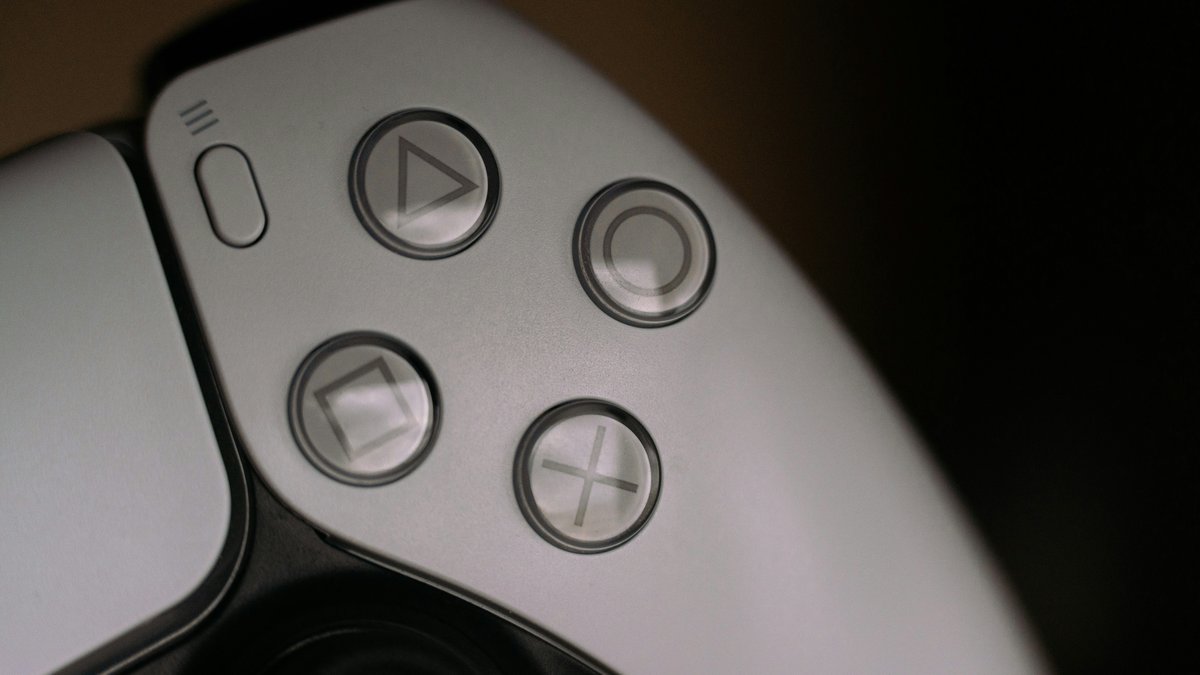
Featured photo: Marcel Strauß / Unsplash
Sources: PlayStation Support, Suspensions on PlayStation, PlayStation Terms of Service, PlayStation 5 Warranties (US), PlayStation 5 Guarantee (Middle East & Africa), PlayStation Support, update system software, PlayStation 5 System Software Licence Agreement, PlayStation Support, check system software version, PlayStation Support, PS5 system software update features, PlayStation Support, find PS5 serial and model numbers, Ars Technica (30 Sep 2026), Tom's Hardware (30 Sep 2026), Kotaku (29 Sep 2026), Twisted Voxel (8 Oct 2026). Facts checked 8 Oct 2026 (SAST).