
Pika H3 Flex is Pika's fast version of MiniMax's H3 video model, and it makes short clips with synced sound. Before anything else, know this: the open weights come under the MiniMax H3 Community License, and that licence excludes the European Union, the United Kingdom, South Korea and the United States. It also bars any use of the model or its outputs outside its territory. If you live in one of those places, the downloadable version isn't licensed for you.
We read the licence, Pika's launch post, the Hugging Face model card and Pika's hardware notes on 1 November 2026. We quote the licence and link it below, but this isn't legal advice. In this article, "open" means open-weight AI video, not a product from OpenAI.
We only recommend what we'd use.
Last updated: 2 November 2026
The short answer
- Licence first: the MiniMax H3 Community License excludes the EU, UK, South Korea and USA, and says you may not use the model "or any of their Outputs or results outside the Applicable Territory." This isn't legal advice.
- What it makes: 5 to 15 second clips at 24fps with synced 32 kHz stereo sound, from text, images, video and audio references.
- Two ways to use it: through Pika's API, from US$0.01 per second at 480p up to US$0.08 per second at 4K, or by downloading the open weights.
- Running it yourself: Pika tested it on a single Nvidia H100 80GB datacenter GPU, and it needs about 211 GB of disk. This isn't a gaming PC or laptop model.
- Hosted only: 4K output and separate audio stems come from Pika's API, not the open release.
What Pika H3 Flex does
Pika's launch post calls it "our post-trained MiniMax H3 model". Pika says it trained the model "to generate in six steps instead of 50", which is where the speed comes from. According to Pika, it works with "up to 12 references", "exports five separate audio stems", and "finishes at up to 4K".
The Hugging Face model card lists two adapters: FL2VA for text and first or last frame generation, and Ref2VA for multimodal references. Native output is 480p or 768p, 5 to 15 seconds long, at 24fps with 32 kHz stereo audio, saved as MP4. The base MiniMax H3 transformer has 33 billion parameters, per Hugging Face.
Through Pika's API you can ask for five audio stems: Dialogue, Score, SFX, Foley and Ambience. That means you could turn the music down without losing the dialogue.
Two claims need care. Pika says it can make a 15-second 768p clip with audio "in as little as seven seconds of transformer computation". Its own footnote says that's a controlled benchmark, not total end-to-end API time, and that references, upscaling, stems, hardware and service overhead add time. Pika also says Flex ranked first among open-weight models and seventh overall on DesignArena's text-to-video leaderboard, but notes that this "reflects the launch snapshot." Neither claim has been independently tested yet.
Open weights vs Pika's API
Pika's launch post spells out the split: the open release covers "text-to-video, first- and last-frame generation, and multimodal reference-to-video, with synchronized audio at 480p and 768p." It adds: "The 1080p, 2K, and 4K upsampler, audio-stem separation, optional prompt enhancement, and accelerated serving stack are Pika-hosted features."
| Feature | Open weights | Pika API |
|---|---|---|
| Resolution | 480p and 768p | Up to 4K |
| Audio | Mixed stereo | Mixed stereo plus five separate stems |
| Prompt enhancement | No | Optional |
| Hardware | Your own H100-class GPU | None, it runs on Pika's servers |
| Cost | Your own compute | Per output second |
| Terms | MiniMax H3 Community License | Your Pika API agreement |
Pika also says Flex is coming to its creation app on 2 November. We haven't confirmed it's live there yet.
What hardware you really need
Pika's GitHub hardware notes are honest about this, and the answer is datacenter hardware:
- One GPU per request. Representative tests "passed on H100 80GB".
- 480p, 5 seconds: "approximately 66–69 GiB" of GPU memory in Pika's tests.
- 768p, 15 seconds: this "exceeded H100 memory", so you need the CPU offload option. That cut GPU use to about 29 to 32 GiB, but host memory reached about 94 GiB.
- Disk: "at least 211 GB for base components plus approximately 5.5 GB for both adapters."
- Software: Python 3.12 and an Nvidia driver.
- Not yet tested: Pika says "H200 and B300 have not been qualified for this package", and that its figures "are not minimum system requirements."
Pika hasn't tested consumer graphics cards, and we haven't found a verified setup that runs it on one. If you want AI on normal hardware, our guide to running AI offline with a local LLM covers text models that do.
What it costs on Pika's API
Pika lists these per-second prices on its H3 Flex API page, "Billed per output second":
| Resolution | Price per output second |
|---|---|
| 480p | US$0.01 |
| 768p | US$0.02 |
| 1080p | US$0.035 |
| 2K | US$0.04 |
| 4K | US$0.08 |
At those rates, a 15-second 768p clip works out to US$0.30, by simple arithmetic. Pika's API Club costs US$10 a month, and Pika says it "unlocks member (wholesale) pricing" and that "your $10 comes back to you as $10 in API credits." The price page doesn't say whether the rates above are member rates, so check your account before you budget.
On commercial use of hosted output, Pika's API FAQ says: "All API outputs are licensed for commercial use under your Pika API agreement."
The licence, in plain English
The Hugging Face model card says the adapters "are Model Derivatives of MiniMax H3 and are distributed under the MiniMax H3 Community License Agreement." The licensor is named in the licence as Nanonoble Pte. Ltd. Here are the terms that matter most, quoted from the licence text:
- Territory: "Excluded Territories" means "the European Union, the United Kingdom, the Republic of Korea and the United States of America." And: "You may not use, reproduce, modify, distribute, or display the MiniMax H3 Works or any of their Outputs or results outside the Applicable Territory." People in those places are invited to contact MiniMax "about obtaining a license".
- Big companies: you need "separate, prior written authorization from MiniMax" if "your commercial products and services generate more than 20 million US dollars (or equivalent in other currencies) in yearly revenue."
- Branding: commercial products must "prominently display" MiniMax H3 on the user interface.
- No training other models: "You may not use the MiniMax H3 Works or any of their Outputs or results to improve any other artificial intelligence model (other than MiniMax H3 or its Model Derivatives)."
- Your outputs: "MiniMax claims no rights over the Outputs you generate", but you're responsible for them.
- Label AI content: the acceptable use policy bans publishing generated content publicly "without clearly and prominently disclosing that such information and/or content is machine-generated". It also bans impersonation without consent, election misinformation and military use, among other things.
- Governing law: Hong Kong law and Hong Kong courts.
Readers in South Africa fall inside the licence territory, so the Joburg crowd can download it, but every other rule above still applies. This isn't legal advice. If you plan to use it commercially, read the full licence or ask a lawyer.
Who should try it
- Developers outside the excluded territories with datacenter GPUs: the open weights are worth testing, within the licence terms.
- Creators who just want results: use Pika's API, or Pika's app once Flex arrives there.
- Teams in the US, EU, UK or South Korea: the open weights aren't licensed for you. Use Pika's hosted API under Pika's own terms, or contact MiniMax about a licence, as the licence suggests.
FAQ
Is Pika H3 Flex open source?
No. It's open-weight under the MiniMax H3 Community License, not an open-source licence. The example Python code and the Qwen text encoder are Apache 2.0, but the model card says that "code license does not cover model weights or example media."
Can I run Pika H3 Flex on my PC?
Not on a typical one. Pika tested it on an Nvidia H100 80GB, and it needs about 211 GB of disk.
How much does Pika H3 Flex cost?
The weights are free to download where the licence allows. Pika's API lists US$0.01 per second at 480p up to US$0.08 per second at 4K.
Can I use Pika H3 Flex videos commercially?
Through the API, Pika says outputs are licensed for commercial use under your API agreement. With the open weights, the MiniMax licence applies, including the territory rule, the US$20 million revenue cap, the branding rule and AI disclosure.
Can I use it in the US or Europe?
Not the open weights under this licence: it excludes the US, EU, UK and South Korea. The hosted API runs under Pika's own API agreement.
Does it make sound?
Yes. Clips come with synced stereo audio, and the API can split it into five stems.
Comparing hosted video tools instead? See our Veo vs Kling vs Runway comparison.
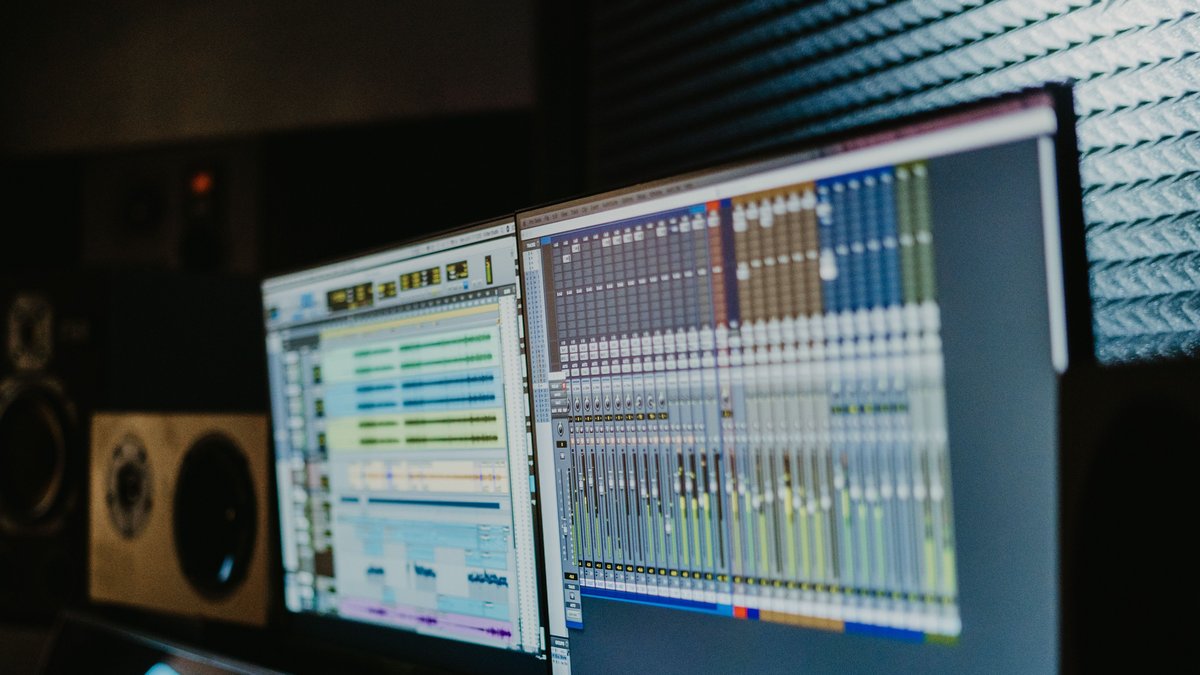
Featured photo: An editing setup with separate audio tracks. Pika H3 Flex makes short clips with synced sound, and its API can split the audio into five stems. Photo: Tima Miroshnichenko / Pexels
Sources: Pika: Introducing Pika H3 Flex, 29 Oct 2026, checked 1 Nov 2026; Pika on Hugging Face: Pika H3 Flex model card, LICENSE and NOTICE, checked 1 Nov 2026; MiniMax on Hugging Face: MiniMax H3 Community License Agreement, checked 1 Nov 2026.