
The first Wi-Fi 8 router you can actually buy is here. On 6 Oct 2026, ASUS announced that its ROG Rapture GT-BN98 quad-band gaming router is "now shipping". Two things matter before anything else. First, Wi-Fi 8 is still a draft standard. ASUS's own spec page lists it as "WiFi 8 (802.11bn) (Draft)", which means the rules aren't final and the firmware will keep changing. Second, your internet line is still the ceiling. A new router can't make a 50 Mbps fibre line any faster.
What makes Wi-Fi 8 interesting is that it isn't chasing a bigger speed number. ASUS pitches it on reliability: fewer sudden drops, steadier performance further from the router, and better behaviour when lots of devices are connected.
Short version. Buy only if you're an enthusiast with multi-gig fibre or a wired 2.5G/10G home network and you accept the draft-standard risk. Wait if you're on a typical fibre line or your problem is one dead room. Skip if your current router works and your line speed is the real bottleneck.
Affiliate disclosure: some tool or platform links may later be affiliate or referral links. Facts in this post come from ASUS's press release and product pages, with review findings from TechRadar and Notebookcheck where marked, checked on 8 Oct 2026 (SAST). ASUS hasn't published a price.
What shipped on 6 Oct
ASUS first showed the GT-BN98 at Computex in June, according to Notebookcheck. The Pro version went on sale in Canada first, and the wider global rollout was pencilled in for October. Now ASUS says the router is shipping. Notebookcheck calls it the world's first commercially available Wi-Fi 8 router.
There are two versions, and they aren't the same box with a different badge.
- GT-BN98 (BN25000): the standard model, which Notebookcheck says is meant for Europe, the Middle East, Africa and Asia-Pacific. ASUS's spec page lists four bands: 2.4 GHz, two 5 GHz bands and one 6 GHz band.
- GT-BN98 Pro (BN30000): the North American model. TechRadar and Notebookcheck report that it swaps one 5 GHz band for a second 6 GHz band on UNII-8 spectrum, which TechRadar says isn't approved for use in most other regions.
Outside North America, the standard model is the one that matters. Headlines quoting 30 Gbps are about the Pro.
What Wi-Fi 8 actually changes
Every Wi-Fi generation so far has been sold on peak speed. Wi-Fi 8 is different, at least in how ASUS describes it. In the press release's words: "Unlike previous WiFi generations focused on peak speed, WiFi 8 prioritizes ultra-high reliability by improving performance consistency across varying signal conditions."
In plain English: fewer moments where your video call freezes because someone started a download, or the signal falls off a cliff two rooms away. ASUS names three technologies behind this: new MCS rates, UEQM and NPCA. Think of them as smarter ways to keep a usable signal when conditions get messy.
There's a catch, and it's an important one. Notebookcheck reports that ASUS says you don't need Wi-Fi 8 devices to see a benefit in speed and coverage, but features like UEQM and NPCA need Wi-Fi 8 phones and laptops to do their job. TechRadar says those devices aren't expected until 2027 at the earliest.
The GT-BN98 in one table
These figures come from ASUS's press release and global spec page, except where noted.
| Spec | GT-BN98 (standard) | What it means for you |
|---|---|---|
| Wi-Fi standard | WiFi 8 (802.11bn), listed as Draft | Rules aren't final; expect firmware updates |
| Bands | 2.4 GHz + 5 GHz + 5 GHz + 6 GHz | Lots of room for many devices at once |
| Combined Wi-Fi rate | Up to 25,000 Mbps (1376 + 5764 + 5764 + 11529) | Theoretical total across bands, not your internet speed |
| Wired ports | Two 10G ports, four 2.5G ports, one 1G LAN port | Only useful if your line or home network is multi-gig |
| Processor and memory | 2.6 GHz quad-core, 2 GB RAM, 256 MB flash | Headroom for busy homes and heavy traffic |
| Antennas | 8 external | Big footprint; plan where it goes |
| USB | One USB 3.2 Gen1, one USB 2.0 | Storage or printer sharing |
| Size (TechRadar) | Roughly 35 cm x 35 cm, over 2 kg | Needs a dedicated spot; not one for the wall |
| North American Pro | Second 6 GHz band on UNII-8 (reported) | Not the model sold in most other regions |
ASUS also lists two software features worth knowing. Adaptive QoE shifts bandwidth in real time between gaming, streaming and background downloads, instead of relying on fixed rules you set once and forget. WiFi Insight scans for interference across all bands, including non-Wi-Fi sources, switches channels on the fly and keeps a 24-hour log you can check in the web interface.
Will it help my current phone and laptop?
According to early reviews, yes, a bit. TechRadar's round-up says testing with an existing Wi-Fi 7 MacBook measured "more than 10% higher average throughput" on the GT-BN98 than on ASUS's older Wi-Fi 7 router, the GT-BE98. One reviewer quoted by TechRadar still saw about 1.92 Gbps down at 100 feet (roughly 30 metres).
Those are reviewer numbers on fast setups. We've seen no tests on typical home fibre at 1 Gbps or below, so we won't guess what you'd gain.
The catch
- It's a draft standard. Final approval isn't expected until 2028 (TechRadar), or May 2028 (Notebookcheck). ASUS hasn't said whether firmware will bring the router fully in line with the final spec.
- Nothing to pair it with yet. TechRadar expects no Wi-Fi 8 phones or laptops before 2027.
- No official price. ASUS shows none on its global or South African pages.
Buy, wait, or skip?
Buy (enthusiasts only) if you already have fibre at 1 Gbps or more, or a wired 2.5G/10G network at home. It also fits a big house with range problems and a long list of connected devices, if you have flagship budget and accept you're buying on a draft standard.
Wait if you're on a typical fibre line of 500 Mbps or less, or your real problem is one room with poor signal. A mesh system or a well-placed Wi-Fi 6 or Wi-Fi 7 access point will usually fix more for less money. Also worth waiting for: an official local price, the first Wi-Fi 8 phones and laptops, the ZenWiFi BN12 mesh kit ASUS says is coming, and cheaper Wi-Fi 8 routers from other brands.
Skip if your ISP router does the job, if mobile data or LTE is your main connection, or if the line itself is the bottleneck. A faster router won't make a slow line fast.
| Your setup | Call | Why |
|---|---|---|
| Gamer on 1 Gbps+ fibre with wired multi-gig gear | Buy, if budget allows | You can use the 10G and 2.5G ports and the extra headroom |
| Family on 100 to 200 Mbps fibre with dead spots | Wait | Mesh or a second access point fixes coverage for less |
| Remote worker in a flat | Skip for now | Range isn't your problem; your line speed caps everything |
| Home on LTE or mobile data only | Skip | The router isn't the bottleneck |
| Anyone in South Africa right now | Wait for a local price | ASUS lists it on its ZA site, but no local price is shown yet |
A note on importing. If you spot it for sale abroad, think twice before bringing one in yourself. This is a draft-standard router that will depend on firmware updates and possibly warranty support. Our grey-import and marketplace checklist walks through what to check first.
Cheaper ways to fix bad Wi-Fi today
Most Wi-Fi complaints aren't solved by the newest standard. Try these first.
- Move the router. Out of the cupboard, off the floor, away from the TV cabinet. Central and high beats tucked away.
- Run a cable where you can. Wiring a desk PC, console or second access point takes load off the Wi-Fi.
- Use mesh for big or awkward homes. Several small units beat one big router shouting through brick walls.
- Ask about your ISP router. If it's old, your provider may swap it. That costs less than a flagship router.
Whatever line you have, the router is only the last few metres. If you're still choosing the line itself, our Starlink vs Amazon Leo comparison covers satellite options.
The Joburg reality check
ASUS lists the GT-BN98 on its South African site, but no local price is shown yet. We couldn't confirm local retailer stock or a launch date either. So for now, it's not something you can walk into a Joburg store and buy, as far as we can verify.
Two local points still matter once it does land. First, a big router still needs power. If you keep your network running through load-shedding on a UPS, check the router's power rating on the box before assuming your current setup can carry it. We couldn't find a power figure from ASUS. Second, your line speed caps everything. If you're weighing fibre against mobile data for work, our fibre vs mobile data guide is the better place to start than any router.
FAQ
Is Wi-Fi 8 finished?
No. ASUS lists the standard as a draft, 802.11bn. Final approval is expected in 2028, according to TechRadar and Notebookcheck.
Do I need new devices to benefit?
Not for some gains. Reviews collected by TechRadar show better throughput with an existing Wi-Fi 7 laptop. But features like UEQM and NPCA need Wi-Fi 8 devices, which TechRadar doesn't expect before 2027.
How much is it?
ASUS shows no price on its global or SA pages.
Is it available in South Africa?
ASUS lists it on its South African site, but no local price is shown yet, and we couldn't confirm local stock.
Footnote: ASUS also markets AiProtection (ad, tracker and malicious-site blocking) and AI Game Boost on this router, plus its AiMesh system for linking ASUS routers together. We didn't weigh them in this decision.
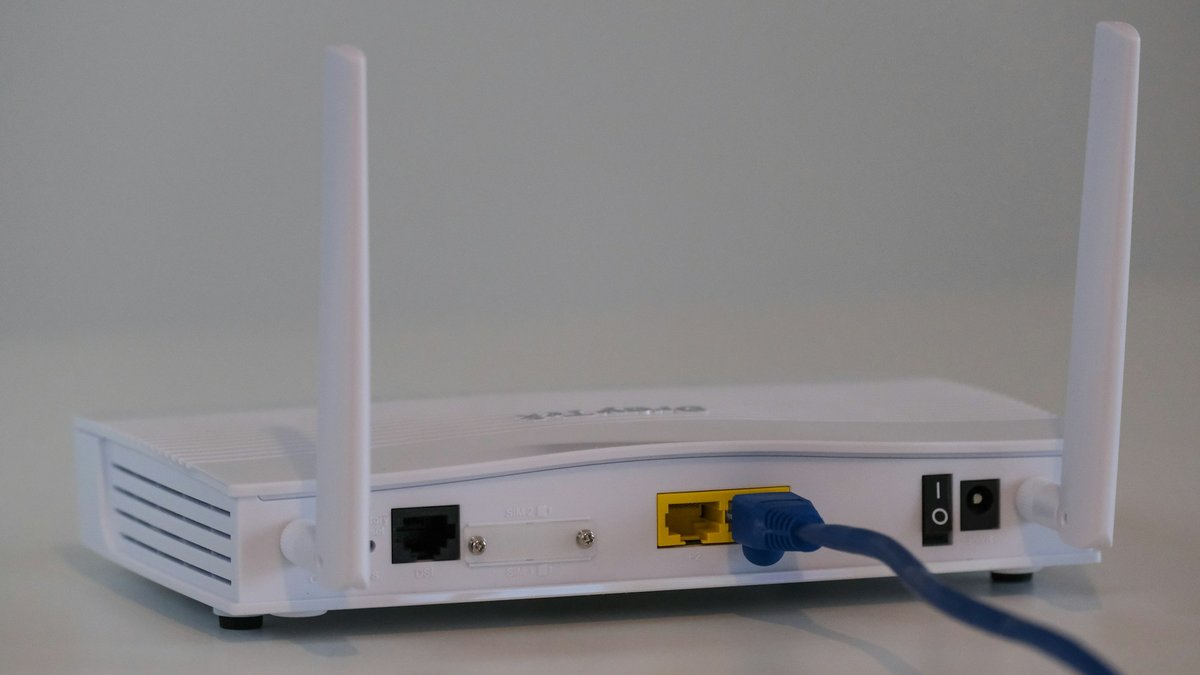
Featured photo: Illustration only: a generic home router. Photo: Compare Fibre / Unsplash
Sources: ASUS Republic of Gamers Ships ROG Rapture GT-BN98 Router (ASUS Pressroom, 6 Oct 2026), ROG Rapture GT-BN98 specifications (ASUS ROG), ROG Rapture GT-BN98 (ASUS ROG South Africa), The first Wi-Fi 8 router is already outperforming what you own (TechRadar, 4 Oct 2026), First Wi-Fi 8 gaming router ROG Rapture GT-BN98 launches (Notebookcheck, updated 5 Oct 2026). Facts checked 8 Oct 2026 (SAST)